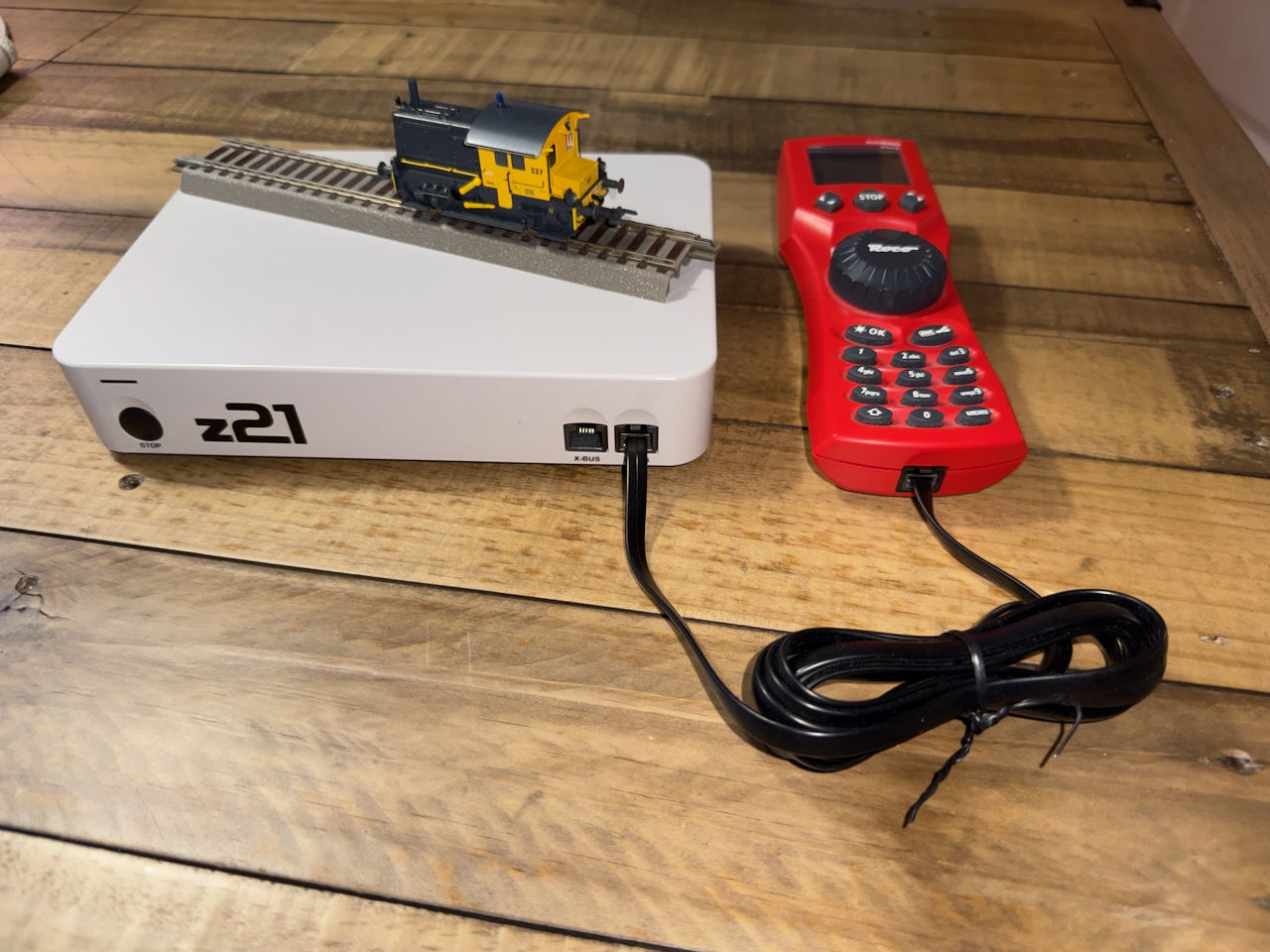
In this article I’m giving an overview of the Roco/Fleischmann Z21 DCC Center, with the aim of controlling model trains with a computer.
Digital Control of model trains
Typically, a model train is controlled by feeding a current via the rails the train runs on. Most manufacturers use a DC current via the two rails. Analog train control is done by varying the voltage (between 0 and 14 volt) that determines the speed and the polarity that determines the direction of the locomotive. This technique is simple and cheap to start with but brings a quite a few limitations:
- The power of the motor is limited with lower voltage, which results in that the locomotive stalls at low speeds
- At lower voltage, the locomotive is more sensitive for dust on the rails
- If the locomotive has lights, these are very dim at low speeds
- The lights cannot be controlled separately (the best one can get is front or back light determined by the polarity and hence, direction)
- No other electrical functions can be added to a locomotive
- All locomotives on the layout are controlled at once, with a single throttle
- A separate low voltage AC-network with physical switches a complicated wiring is needed to control turnouts and other accessories
- Not very scalable: battery packs or transformers used for feeding the network have limited power and cannot be enhanced.
Note: some manufacturers use different systems. E.g. Märklin uses AC via 3 rails (actually 2 rails with contact points in the middle of the sleepers as a 3rd rail) for its H0-gauge and Trix used to use DC via 3 rails. They suffer from the same limitations.
To alleviate all this, digital control was developed where a permanent, higher voltage was applied to the track (e.g. 18 volts) and digital communication with the locomotives was made possible by switching polarity back and forth. The most common protocol in use is DCC (Digital Command Control).
A typical DCC set up requires the following components:
- Control Center. Each layout needs exactly one Control Center that broadcasts commands to all locomotives and accessories
- Decoder. Each locomotive or DCC-enabled accessory needs a decoder to interpret the broadcasted signals
- Throttle. At least one throttle is needed to send commands to the locomotives and accessories of the layout. Multiple throttles can be used in parallel for controlling different locomotives
- Booster. While providing the power for a section of a layout, it also forwards the DCC commands from the control center for its section.
Note: Märklin uses a proprietary standard called MFX for digital control. Fleischmann used to use FMZ before. Some MFX or FMZ decoders can be used with DCC.
Roco Z21
Roco developed the Z21 family of DCC products, built around the Z21 Control Center. Four versions of the control center exist:
- z21 Start (white). This is the simplest version that is included in a number of starter sets. It cannot be bought separately. A WLAN package needs to be bought separately to enable network access.
- z21 (white). This is a limited version of the Z21 that is included in a number of starter sets and includes the WLAN package.
- Z21 (black). This is the ‘official’ version with full functionality.
- Z21 XL (black). This is the same as the regular Z21 version, but intended for larger scale model trains that require more current (6A vs 3A).
Each version includes a power supply and functions as a primary booster. Additional boosters can be added via the B-bus.
Throttle
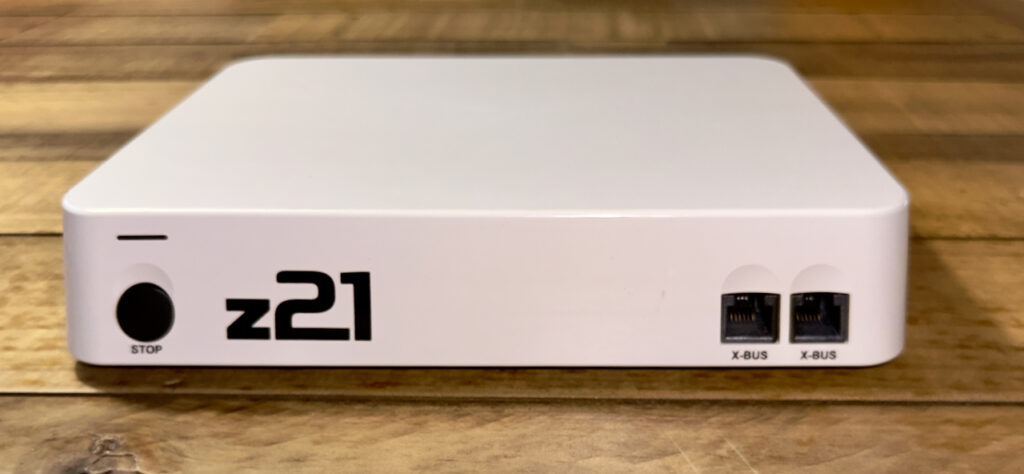
The Z21 has two X-bus ports on the front side. The black Z21 has an additional third X-bus port on the back side. These buses implement the XPressNet interface for throttles as developed by Lenz.
As a throttle the following alternatives can be used:
- MultiMAUS. This is a handheld device that can physically be connected to the X-bus.
- WLAN MAUS. The same device as the MultiMAUS that connects wirelessly to the Z21 via Wifi (provided that the network interface on the Z21 is enabled)
- Third-party throttle. Any throttle that supports the XPressNet protocol can be connected to the X-bus.
- Z21 app. An app on iPhone or iPad (or Android) where one can set up a layout with all turnout for accessories in place, and control locomotives. This also requires connection via the network interface
- Computer. Existing programs like iTrain, TrainController and Rocrail support the Z21. As long as a computer has a network connection, any program or script that implements the documented communication protocol can interact with the Z21.
Feedback
Manual train control relies on visual feedback. Imagine controlling a locomotive on the layout without seeing it, e.g. when the train is in a longer tunnel or the room would be dark. Likewise, feedback is essential when automating train control.
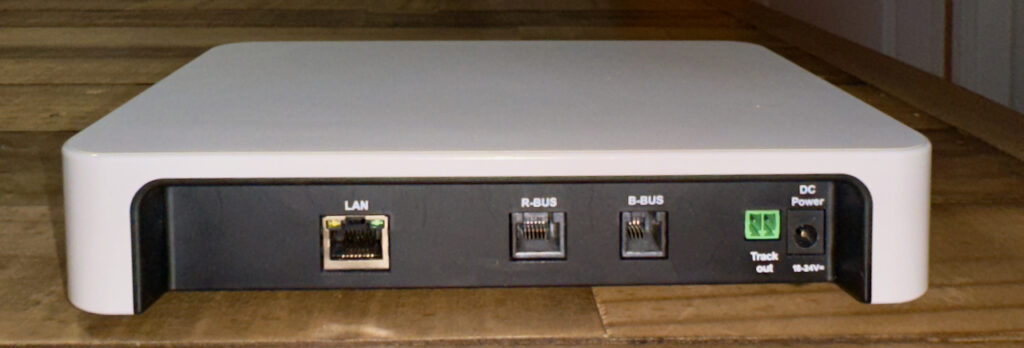
The Z21 includes the R-bus for connecting devices that can give two types of feedback:
- Occupancy detection. This type of devices detect whether an isolated section of a layout is occupied by a locomotive, by measuring a current between the two rails. After all, even a stopped locomotive uses at least a small current for the decoder.
- Permanent or temporary contact. This type of devices detect whether a switch is on or off. Some rail types have a built-in switch that triggers when a wheel passes. Others have a reed contact that closes when a magnet mounted to the bottom of rolling stock passes. Typical for this feedback is that it is concentrated on a single point rather than a section of a layout.
Z21 (black)-only functionality
Parallel to XPressNet, Digitrax developed LocoNet as a throttle protocol. The Z21 (black) has an L-bus for integrating in a LocoNet environment.
In the domain of automation within vehicles, CAN bus was developed as a bus standard for communication between various electronic control units (ECUs). Within the context of model railroad control, this is an emerging standard that enables RailCom, a two way communication standard between the command center and locomotives. The Z21 (black) has support for this via its CAN-bus.
Network protocol
Roco implemented the network interface as a tunnel for XPressNet with feedback, LocoNet and RailCom commands and responses. It is easy to recognize the individual messages as well as the categories they belong to, when we will start implementing relevant parts of the protocols for our own experiments.
Note: each network enabled version of the Z21 (as well as the WLAN package) includes a Wifi router. The reason is that the Z21 has a fixed IP-address 192.168.0.111 out of the box. In order to connect to the Z21, it needs to be in a 192.168.0 subnet. The included Wifi router provides this subnet. If you have an existing network that provides the same subnet, you can connect your Z21 directly to your network. Otherwise, you can continue to use the included Wifi router, or use it once to connect to your Z21 and configure its IP address of your Z21 to match the subnet of your network.
Leave a Reply